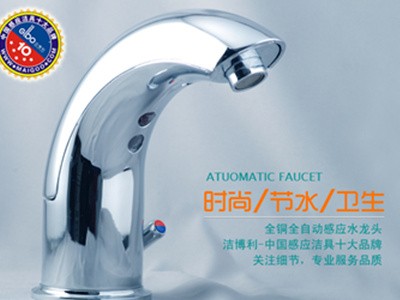
Water Pressure Requirements for Sensor Sanitary Ware
What are the water pressure requirements for sensor sanitary ware? The opera
Read moreSymptom | Troubleshooting | Troubleshooting |
No Flush Water | A No Water Supply | ● Ensure the water supply is on and the water pressure is at least 0.14 MPa. ● Ensure the flow control valve is fully open. |
B. Loose power or signal connector, or crushed/damaged wiring | ● Remove the sensor panel. ● Check the sensor power supply and solenoid valve wiring. Inspect for any circuit damage ● Order a new solenoid valve or sensor assembly if required. | |
C Battery Depleted | ● Replace with new batteries (Note: four 1.5V "AA" alkaline batteries required, available at convenience stores). Please follow the instructions in the "Battery Replacement" section. | |
D. Solenoid Valve Malfunction | ● Replace or order a new solenoid valve. | |
E: Scratches or dirt on the sensor window | ● Replace the sensor module. Clean the soiled sensor window with a soft cloth dampened with a neutral detergent. | |
F. Clogging of the air holes on the diaphragm of a piston valve or solenoid valve coil | ● Remove the solenoid valve cover or coil, extract the piston or diaphragm, and rinse under clean water. Reinstall in their original positions. (Note: Ensure correct positioning and orientation during installation.) | |
G Sensor Module Malfunction | ● Replace or order sensor modules. | |
Flush Water Quantity Small | A Water supply valve is not fully open | ● Ensure the water supply valves are fully open. |
B. Flow control knob not fully open | ● Check whether the flow control knob is fully open (turn the knob counterclockwise until the valve is in the fully open position). | |
C. Blocked water supply pipe or low water pressure | ● Check whether the water supply pipes and filtration system are clogged, ● Measure the inlet water pressure; a minimum dynamic pressure of 0.075 MPa is recommended. | |
D. Damaged piston rubber diaphragm | ● Open the solenoid valve piston cover and replace the piston. | |
Straight Flow Water | A. Solenoid valve piston blockage | ● Remove the solenoid valve cover, extract the piston or diaphragm, and rinse under clean water. Reassemble in their original positions. (Note: Ensure correct placement and orientation.) |
B Solenoid valve diaphragm is dirty or damaged | ● Remove the solenoid valve coil, extract the iron core and diaphragm, and rinse under clean water. Reassemble in their original positions (pay attention to correct placement and orientation). | |
C Battery Depleted | ● Replace with new batteries (Note: Four 1.5V "AA" alkaline batteries are required; available at convenience stores). Please follow the instructions in the "Battery Replacement" section. |
Intermittent Water Flow | A Poor contact of AC power supply or solenoid valve connector | ● Check the sensor's power supply and solenoid valve wiring. Inspect for circuit damage.
|
Low battery level | ● Replace with new batteries (Note: Four 1.5V "AA" alkaline batteries are required). These can be purchased at convenience stores. Please refer to the "Battery Replacement" section for instructions. | |
Sensor Indicator Flashing Signal | A When an object is within the sensing range, the indicator flashes approximately twice per second, and the valve opens, | ● Low battery level, ● Replace with new batteries (Note: Four 1.5V "AA" alkaline batteries are required). These can be purchased at convenience stores. Please refer to the "Battery Replacement" section for instructions. |
A When an object is within the sensing range, the indicator flashes approximately twice per second, but the valve does not open, | ● Batteries depleted, ● Replace with new batteries (Note: Four 1.5V "AA" alkaline batteries are required). These can be purchased at convenience stores. Please refer to the "Battery Replacement" section for instructions. | |
Water Flow Too High | Excessive water supply pressure | ● Measure the water supply pressure. The maximum recommended pressure is 0.55 MPa. ● Remove the sensor panel and adjust the flow control knob (rotate the knob clockwise until the valve achieves the appropriate flush flow rate). |
What are the water pressure requirements for sensor sanitary ware? The opera
Read more
Why is your sensor faucet unresponsive? GIBO's touchless sanitary ware opera
Read more
To replace the batteries in GIBO sensor sanitary ware, remove the battery bo
Read more